From first-gen to future-proof: a smart approach to Teams Rooms lifecycle management
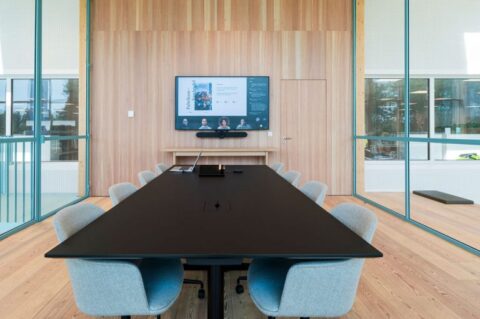
Many first-gen Microsoft Teams Rooms are approaching the end of their lifecycle. While the equipment often still works perfectly well, support, management and security requirements are changing. This raises the question: how much longer can you continue with your current meeting rooms?
Patrique Petit, Microsoft 365 Specialist at AVEX, is seeing this question come up more and more often with customers. Not because existing rooms need to be replaced immediately, but because organisations want to avoid falling behind. In this article, you’ll discover how to approach Teams Rooms lifecycle management in a smart way, which signs indicate it’s time to start thinking about renewal, and how to move from a first-gen environment to a future-proof meeting strategy.
Why lifecycle management matters right now
The first generation of Microsoft Teams Rooms was often deployed during the period when hybrid working became a permanent part of organisational life. These rooms have proven their value. For years, they have enabled reliable meetings and delivered a familiar user experience. But technology doesn’t stand still.
Microsoft continues to introduce new platforms, manufacturers continue to develop new hardware, and users expect more and more from meeting spaces. What was considered modern a few years ago does not always provide the best foundation for the future. That doesn’t mean existing Teams Rooms need to be replaced immediately. It does, however, make this the right moment to take stock.
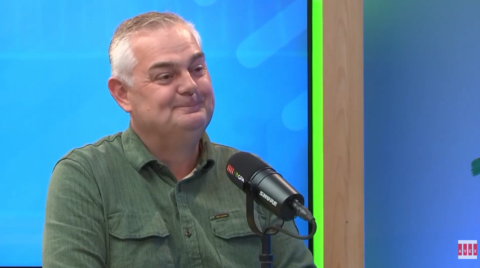
“Your meeting room doesn’t have to feel outdated to be falling behind technically.” Patrique Petit Microsoft 365 specialist at AVEX
First-gen Teams Rooms: what are the challenges?
Many organisations recognise one or more of the following situations:
- Meeting rooms are using hardware that’s several years old
- Supplier support is changing or coming to an end
- Users experience differences between locations and rooms
- IT teams are spending more and more time on management and support
- New functionality isn’t available, or is only partially available
On their own, none of these signs may seem like a problem. Together, however, they create greater complexity, higher management costs and a less consistent user experience.
Lifecycle management is about more than replacing hardware
One of the biggest mistakes organisations make is viewing lifecycle management purely as a replacement exercise. In reality, it’s a strategic opportunity to evaluate your meeting environment as a whole. It’s the perfect moment to review:
- The standardisation of meeting rooms
- Teams Rooms management
- The user experience across the organisation
- New capabilities from Microsoft
- Future developments such as AI
Organisations that approach lifecycle management this way often gain more value from their investment than organisations that only replace equipment when something breaks.
Three signs it’s time to start planning
You don’t need to wait until meeting rooms stop working. In many cases, the signs are already there long before that happens.
Support for your environment is changing
Users aren't getting the same meeting experience everywhere
You want to benefit from new innovations
From replacement to future-proof renewal
The most successful organisations don’t focus on individual meeting rooms. Instead, they look at their overall meeting strategy. They ask questions such as:
- What meeting spaces do we currently have?
- Which systems are we using today?
- Which rooms are due for replacement?
- What will user requirements look like in three to five years?
- How do future developments such as MDEP and AI fit into that picture?
Based on those insights, organisations can create a roadmap that allows renewal to take place in a phased and manageable way.
Lifecycle management as an opportunity to look ahead
Lifecycle management can sometimes feel like a necessary technical exercise. In practice, however, it’s an opportunity. An opportunity to reduce fragmentation. An opportunity to simplify management. And an opportunity to build a foundation for the next generation of Teams Rooms. That’s exactly why we advise organisations not to wait until a room starts causing problems. The best decisions are made when you still have full control.
What can you do today?
A good first step is to map your current environment:
- Which Teams Rooms do you currently have?
- Which hardware generations are you using?
- What is the support status of these systems?
- Which rooms generate the most support requests?
With that overview, it quickly becomes clear where the biggest opportunities and risks lie.

Patrique Petit
Microsoft Office 365 Specialist

Publication date
16 July 2026
Updated date
24 August 2026
Sector
All Sectors, Central Government, Culture, Sports & Recreation, Education, Financial & Professional Services, Government, Healthcare, Hospitality, Local Government, Public Safety & Security, Retail, Trade & Industry
Solution
Boardrooms, MDT Rooms, Meeting Rooms
Keep discovering