Digital Signage frustrations: the 7 biggest problems (and how to prevent them)
You purchased Digital Signage with the best intentions. Dynamic content, a professional appearance and efficient communication. But in practice, it often falls short. Content gets stuck, screens remain black or display information that has not been relevant for weeks. And in the meantime, you wonder why it does not work as it should.
That frustration is recognisable. Many organisations invest in Digital Signage but do not get out of it what is in it. Not because the technology is poor, but because the conditions are missing. There is no clear structure, no ownership and no control over content and management. The result is wasted time, irritation and a system that costs more than it delivers.
Marcel Brinkhof, Account Manager at AVEX, sees these problems every day. With more than 20 years of experience in the audiovisual industry, he supports organisations with the implementation and management of Digital Signage and narrowcasting. In retail, hospitality, healthcare and corporate environments, the same frustrations repeatedly arise.
In this article, you will read:
- Which 7 frustrations organisations most often experience with Digital Signage
- Why these problems are usually not technical
- What you can do yourself to prevent them structurally
- When it is wise to call in support
After reading, you will know exactly where Digital Signage often goes wrong and how to organise it so that it actually works. Reliably, up to date and without daily frustration.
“Successful Digital Signage is not about screens, but about the perfect balance between technology, organisation and content.” Marcel Brinkhof Account Manager at AVEX

Below you can see at a glance the most common frustrations with Digital Signage and how to prevent them
| Digital Signage frustration | What goes wrong? | How do you prevent it? |
| Content does not refresh or gets stuck | Unstable connection and no monitoring | Ensure a stable network and active monitoring |
| Black screens remain unnoticed for too long | No control or clear notification | Use remote monitoring and assign a person responsible |
| CMS is too complicated | Wrong tool choice and lack of training | Choose a user-friendly CMS and provide clear instructions |
| Responsibilities are unclear | No agreements about roles and permissions | Establish ownership and document working procedures |
| No content plan or visual quality | Focus is on technology, not content | Work with a content plan and fixed templates |
| Outdated content remains on screen | No control and no end dates | Schedule content and use automatic end dates |
| IT is involved too late | Technical requirements are overlooked | Involve IT from the start of the project |
Want to know more?
Below, we have explained the 7 frustrations for you:
Frustration 1: Content does not refresh or gets stuck
You have prepared new content, but on some screens the same slide remains on screen endlessly. Or the content is no longer refreshed at all. Employees see it, customers notice it, but the problem remains.
What is the cause?
In most cases, this is not caused by the screen itself, but by the connection between the Content Management System (hereafter CMS) and the media player. An unstable internet connection, often via WiFi, means that updates do not come through properly and old content continues to play.
In addition, many organisations lack active monitoring. The screens are there, but no one monitors whether everything is still functioning correctly. Only when someone happens to notice it does it become clear that something has been wrong for some time.
How do you prevent this?
A stable internet connection is the basis. Where possible, a wired connection is more reliable than WiFi, especially for screens that continuously display up-to-date information.
Proactive monitoring is also essential. By continuously checking screens and media players, you can immediately see when content is no longer refreshing or a screen goes offline. Problems can often be resolved before users or visitors experience any inconvenience.
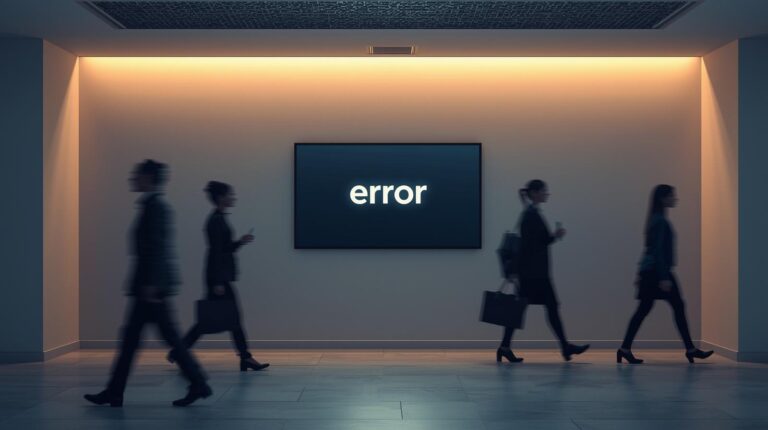
Frustration 2: Black screens that nobody notices
A black screen in a shop, reception area or coffee corner looks unprofessional. Yet such a screen sometimes remains black for days without anyone taking action.
What is the cause?
The cause can be technical, such as a loose cable, a frozen media player or a power interruption. However, the real frustration arises because no one is responsible for checking.
Because Digital Signage is often present in the background, a fault is only noticed late. And when someone does notice it, it is often unclear who should do something about it.
How do you prevent this?
With active monitoring, you can immediately see when a screen goes offline. Many problems can then be analysed or resolved remotely.
It also helps to assign someone locally who is responsible for signalling issues. Not for solving technical problems, but for reporting them quickly. This prevents screens from remaining black unnecessarily long.
Frustration 3: An unintuitive CMS
Updating content should be simple. Instead, it takes a lot of time and the CMS (Content Management System) feels complex and unclear.
What is the cause?
Often, a CMS is selected based on features or price, without considering who has to work with it. The result is a system with many possibilities but little ease of use.
Good training or support is also often missing. Even a good CMS will not be used if people do not know how it works.
How do you prevent this?
Choose a CMS that matches the level of the users. Ease of use is often more important than technical depth.
Also provide clear instructions and accessible support. The easier the system feels, the greater the chance that content remains up to date.
Frustration 4: Unclear responsibilities
New content needs to be added to the screens, but no one knows who can or should do it. Or even worse: the colleague who always handled it has left and the knowledge was never documented.
What is the cause?
Digital Signage often involves several departments. Without clear agreements, confusion arises about who is responsible for what.
Staff changes make this problem worse when knowledge only exists in people’s heads and is not documented.
How do you prevent this?
Make clear agreements about roles and permissions within the CMS. Document who is allowed to change content and who has final responsibility.
Also ensure there are ongoing instructions, such as short videos or step-by-step guides, so that knowledge is retained.
Frustration 5: No content plan and poor visual quality
The screens work well technically, but the content attracts little attention. Slides are dull or unclear and add little value.
What is the cause?
Many organisations focus mainly on technology and underestimate the importance of content. There is no plan and no clear responsibility.
There is also often a lack of time or expertise to make content visually appealing.
How do you prevent this?
Work with a content plan. Determine what you want to communicate, to whom and how often content is updated.
Use fixed templates in your corporate identity. This allows everyone to quickly create professional content without having to design everything from scratch.
Frustration 6: Outdated content remains on screen for too long
Announcements or promotions remain visible even though they have long since become irrelevant. This looks careless and means people pay less attention to the screens, because they expect the content to remain the same anyway.
What is the cause?
There is no regular check and no one feels responsible for keeping content up to date. Temporary content in the CMS is not given an end date and continues to run.
How do you prevent this?
Agree who checks the content and schedule fixed review moments. Also make use of end dates and scheduling functions in the CMS, so that content stops automatically.
Frustration 7: IT is involved too late
Digital Signage has already been selected and ordered, and only then is IT involved. It then turns out that the network or security is not sufficient.
What is the cause?
Digital Signage is often seen as a communication tool, while it is highly dependent on technical infrastructure.
How do you prevent this?
Involve IT from the start. This allows you to determine in advance what is needed in terms of network, security and management. This prevents delays and additional costs.
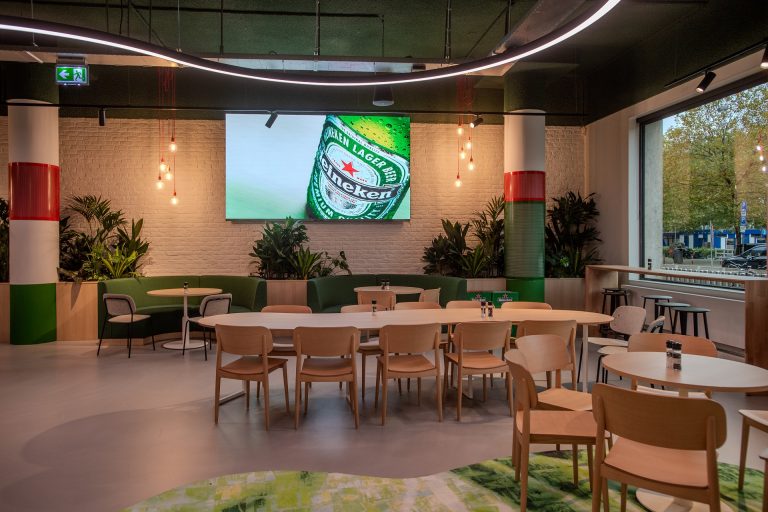
When you add all these frustrations together, one thing becomes clear. Digital Signage is not a standalone communication tool, but an interplay of technology, organisation and content. If one of these elements is missing or included too late, problems will almost always arise. This explains why Digital Signage works smoothly for one organisation, while for another it mainly creates frustration.
This article shows that Digital Signage does not have to be a source of frustration. The problems many organisations experience, such as stuck content, black screens or outdated information, are rarely caused by the technology itself. In almost all cases, they are caused by organisation, management and agreements that are missing or not properly set up.
With the right approach, Digital Signage can do exactly what you purchased it for. Screens always display up-to-date information, content is refreshed on time and faults are quickly detected and resolved. This requires clear responsibilities, good content management and support that goes beyond installation alone.
At AVEX, we have been helping organisations for more than 35 years with audiovisual solutions that work reliably in practice. We support customers from the initial assessment through to installation, monitoring, content creation and support. This ensures that Digital Signage does not create extra work, but instead provides peace of mind and oversight.

Marcel Brinkhof
Account Manager

Publication date
10 February 2026
Updated date
24 August 2026
Sector
All Sectors, Central Government, Culture, Sports & Recreation, Education, Financial & Professional Services, Government, Healthcare, Hospitality, Local Government, Public Safety & Security, Retail, Trade & Industry
Solution
Digital Signage, Wayfinding
Keep discovering